Open the VAT Return
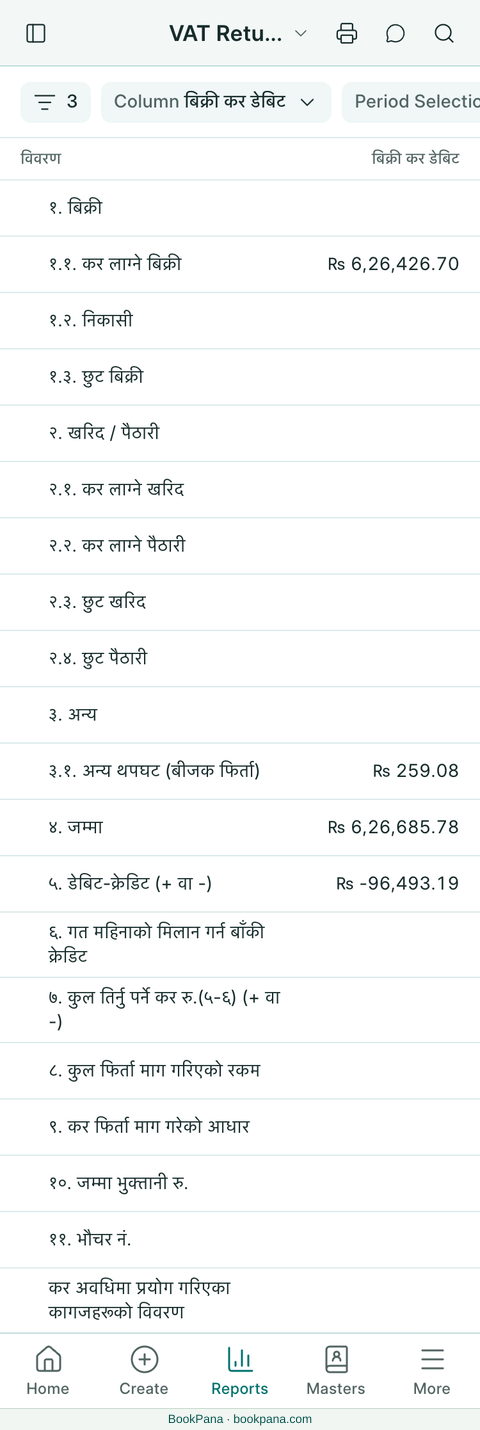
- Open Nepal Tax Reports → VAT Return (मास्केबारी). On a phone, find it in Reports.
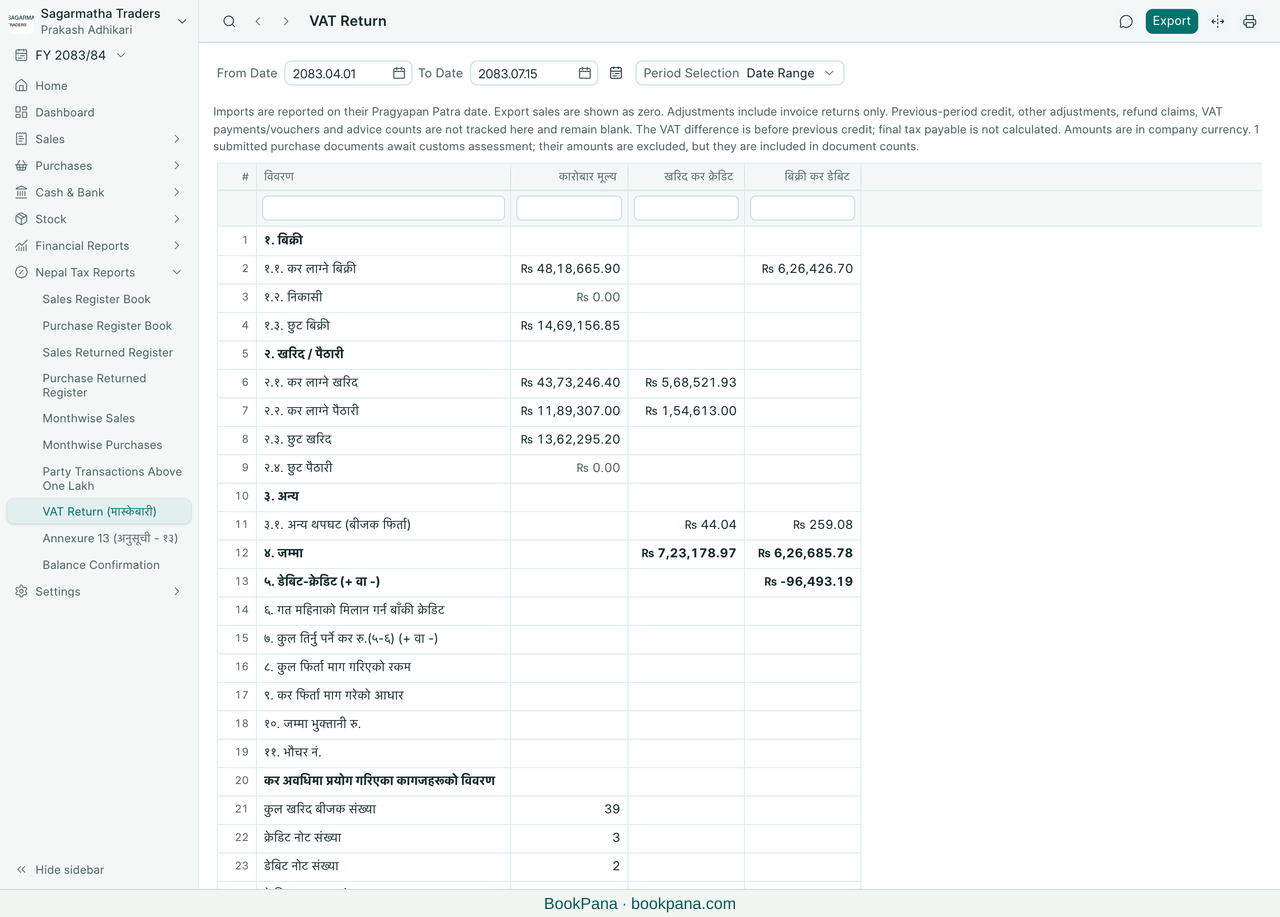
- Check the fiscal year. Use Period Selection to choose a tax period or a date range.
- For a tax period, select the frequency and period. For a range, check both dates.
- Review the transaction-value, purchase-credit and sales-debit columns. On a phone, use Column to switch the amount you are viewing.
Understand the summary
The report brings together taxable and exempt sales, local purchases and imports from the records in BookPana. Sales returns adjust purchase credit; purchase returns adjust sales debit in the invoice-return adjustment row. The original transaction rows remain gross figures.
Imports are reported on the Pragyapan Patra date. Purchase documents awaiting customs assessment are counted in the document totals, but their amounts are excluded until assessed. Read the note above the report and compare it with the purchase book and import reports.
The debit-minus-credit row is a difference before previous-period credit. It is not the final amount payable.
Check the fields that remain blank
Export sales are currently shown as zero. Previous-period credit, other adjustments, refunds, VAT payments, vouchers and credit/debit advice counts are not tracked by this report. Those fields remain blank; final tax payable is not calculated.
Check these details against your other records with your accountant. BookPana does not submit the VAT Return for you.
Print a copy
Use the report print action to open the portrait VAT Return layout. Check the company, PAN, dates, figures and explanatory note before printing. The print is a BookPana report, not proof of filing or approval.
You can also open the report and print previews from the product gallery.
In BookPana
Example screens use demo data. Your records and available actions depend on your company and access.
VAT Return (मास्केबारी) · Desktop
See the phone layout: VAT Return (मास्केबारी)
VAT Return (मास्केबारी) · Phone