Create an item
- Open Stock → Items and choose New. You can also create an item from an invoice’s item picker.
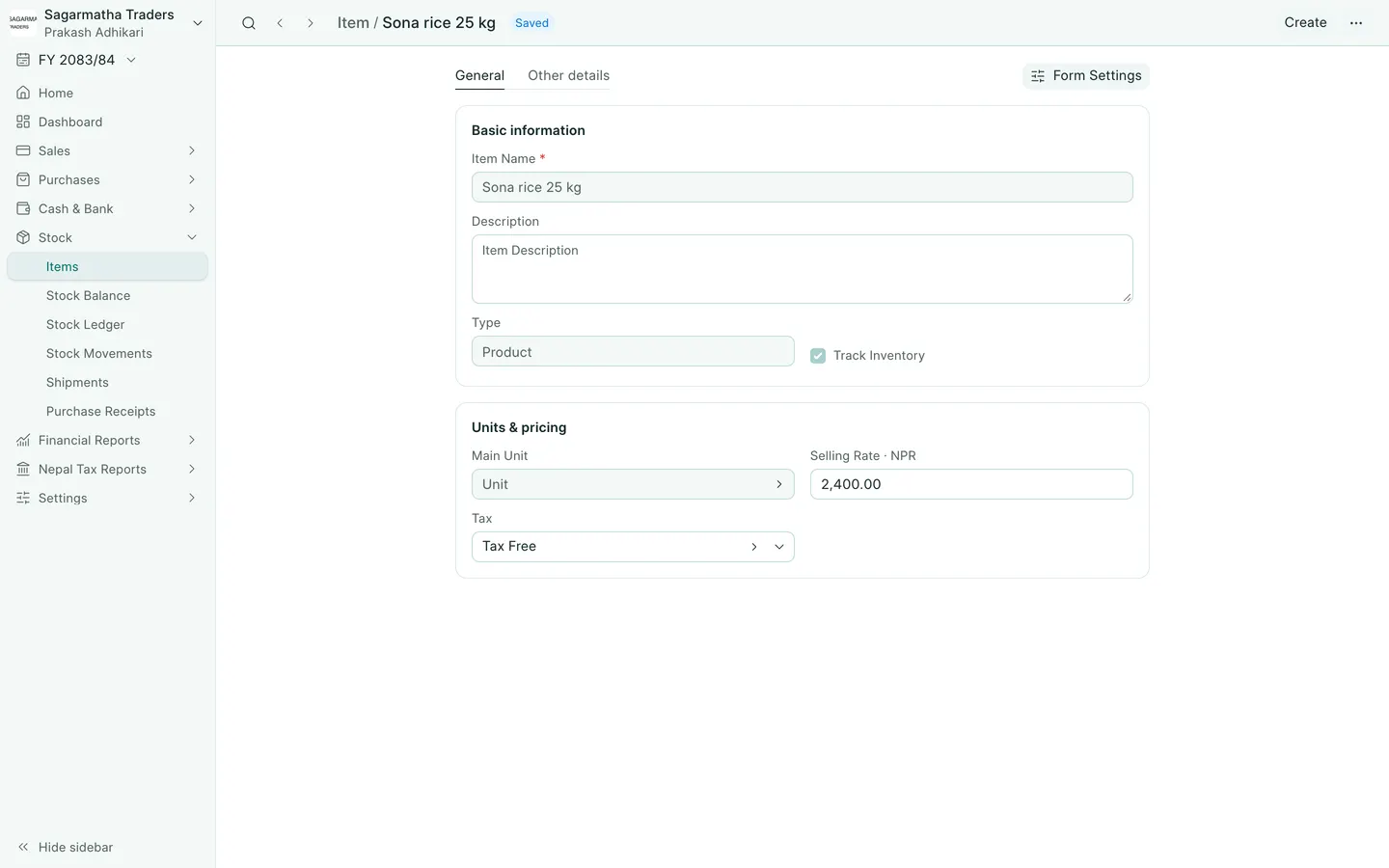
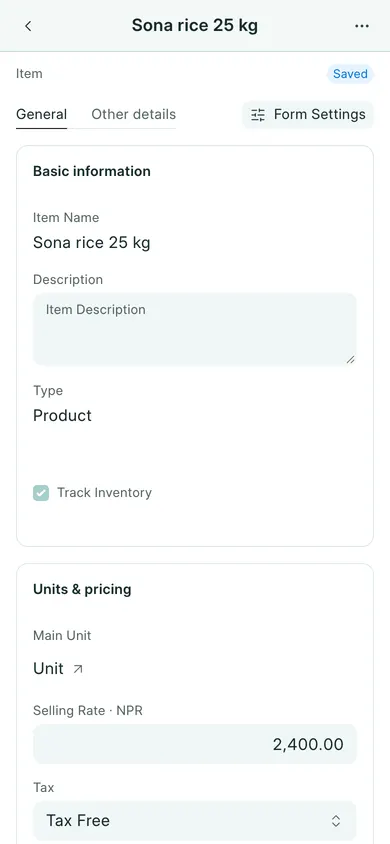
- Fill Item Name and Description.
- Choose Type: Product for goods or Service for a service.
- For goods you count in stock, enable Track Inventory. Do not enable it for a service.
- Set Main Unit, check Selling Rate, and choose Tax when the item is taxable. For a 13% VAT item, select the company’s 13% VAT template.
- Choose Save and confirm Yes, or Save Item in the computer’s quick-create dialog (Save on a phone).
Review VAT and tracking
An item can inherit Tax from its Item Group. An explicit tax on the item takes priority. Check the actual tax on the invoice row before submission; do not use a 13% template for every item regardless of its treatment.
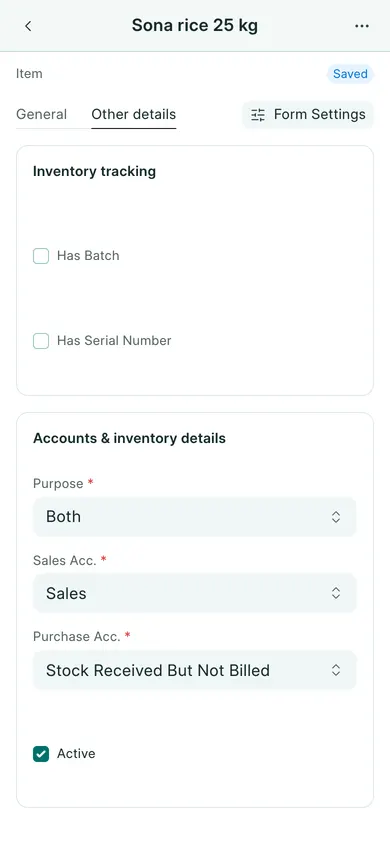
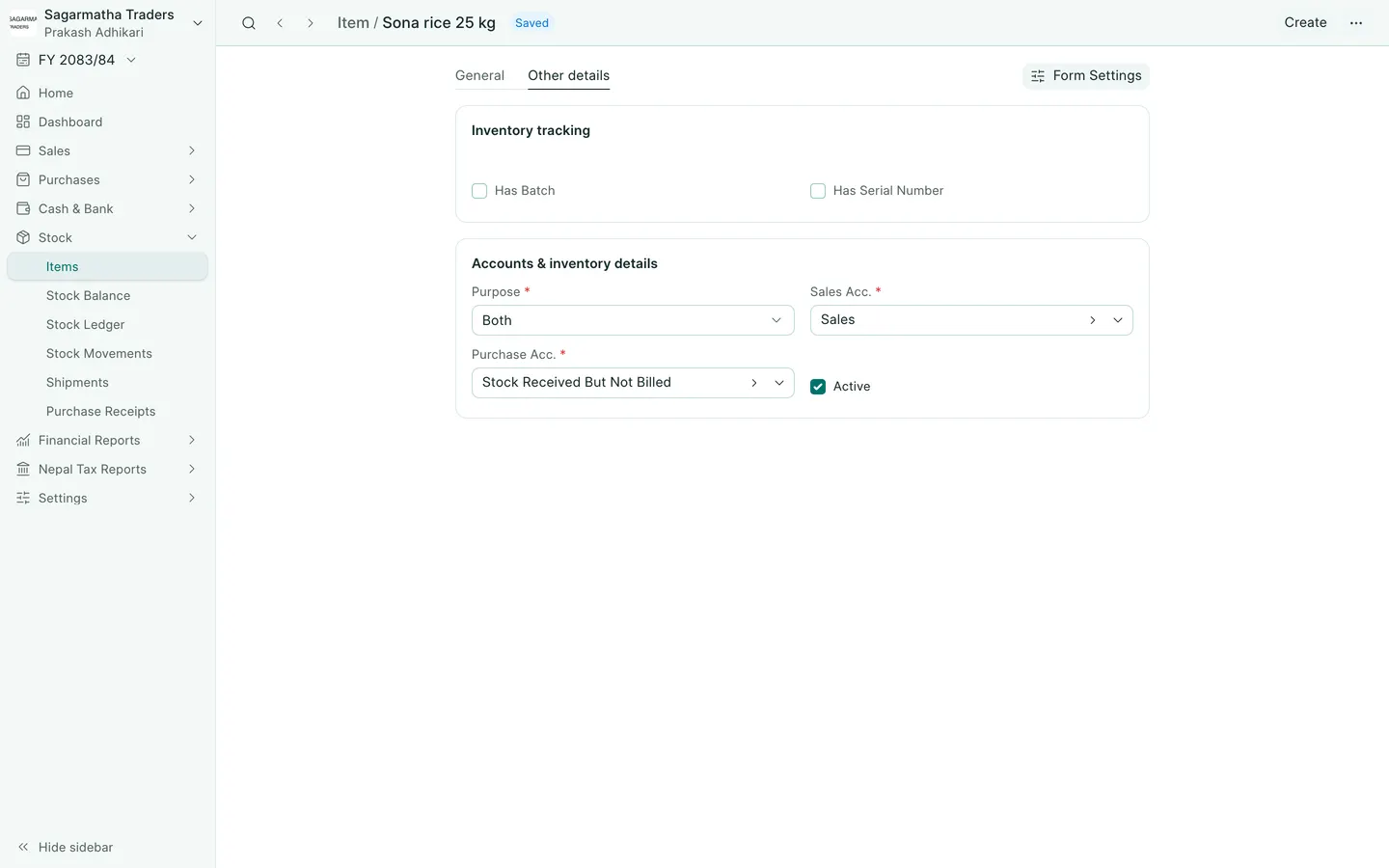
For batch or serial tracking, open Other details after inventory is enabled. Those controls appear when the matching inventory settings are enabled. Read batches and serial numbers before entering tracked stock.
Changing a master item is not a stock adjustment. Review opening quantities and purchases with your accountant before entering the first sale.
In BookPana
Example screens use fictional demo data. Your records and available actions depend on your company and access.
See the phone layout: Item details
See the phone layout: Item inventory tracking