When to use it
Enter one Pragyapan Patra for a submitted import bill when the customs declaration arrives. Keep every page and the cash receipt beside you.
Enter the header
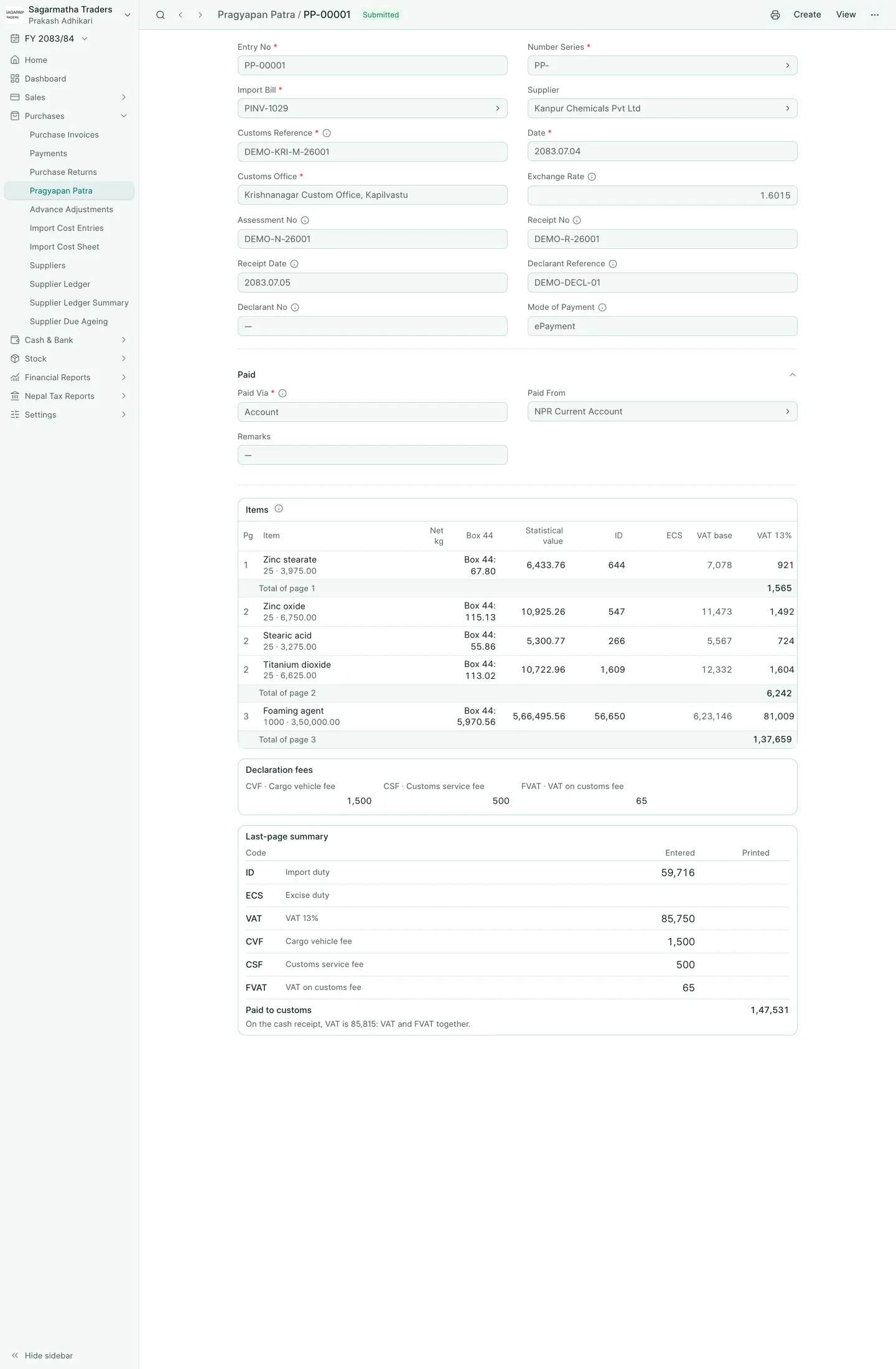
- Open the import bill, then Create → Pragyapan Patra. Check Import Bill and Supplier.
- Copy Customs Reference and Date from box A. Choose Customs Office and enter the customs Exchange Rate from box 23.
- Copy Assessment No, Receipt No, Receipt Date, Declarant Reference, Declarant No and Mode of Payment where printed. Type AD dates as printed, for example
05/05/2026; BookPana recognises the AD year and displays it in BS. - Under Paid Via, choose Account and Paid From, or Clearing Agent and the agent who paid customs for you.
Copy the item pages
- Match each item to its bill row. Enter Net kg from box 38 if you will share freight by weight.
- Type Box 44 as printed: for example
61.83+0+5.97, or12500+0+850+0-0. A single number is treated as the total. - Compare Statistical value with box 46. BookPana calculates price × customs rate + box 44; enter the printed value if it differs.
- In ID or another duty column, type the printed amount, a percentage such as
10%, or a specific duty such as1440*500. - Check VAT base and VAT 13%. Customs rounds the statistical value up to a rupee for the tax base, then rounds each tax up too. Compare each Total of page with the paper.
- Enter Declaration fees once for the whole declaration. Check CVF, CSF and FVAT. FVAT normally follows CSF at 13%.
- In Last-page summary, enter the Printed totals beside the entered totals. Resolve warnings before submitting. Use Submit although the printed totals differ only after investigating and accepting the difference.
- Save, review and submit. Check the customs figures back on the import bill.
Print it
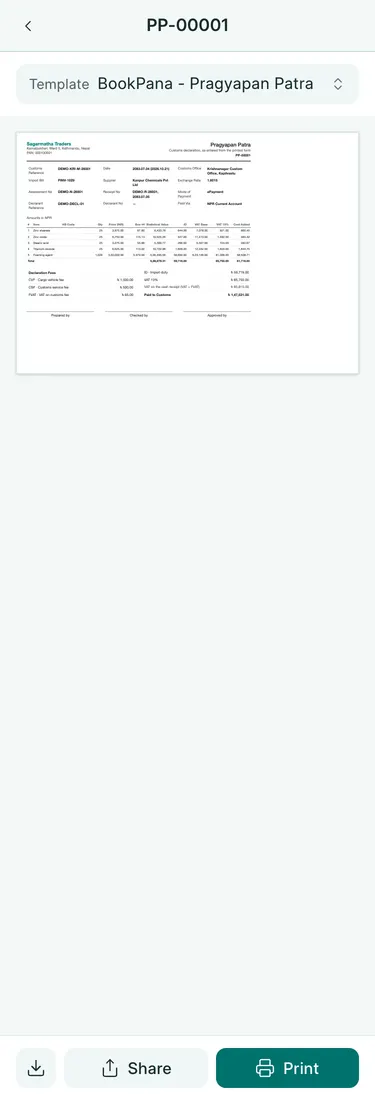
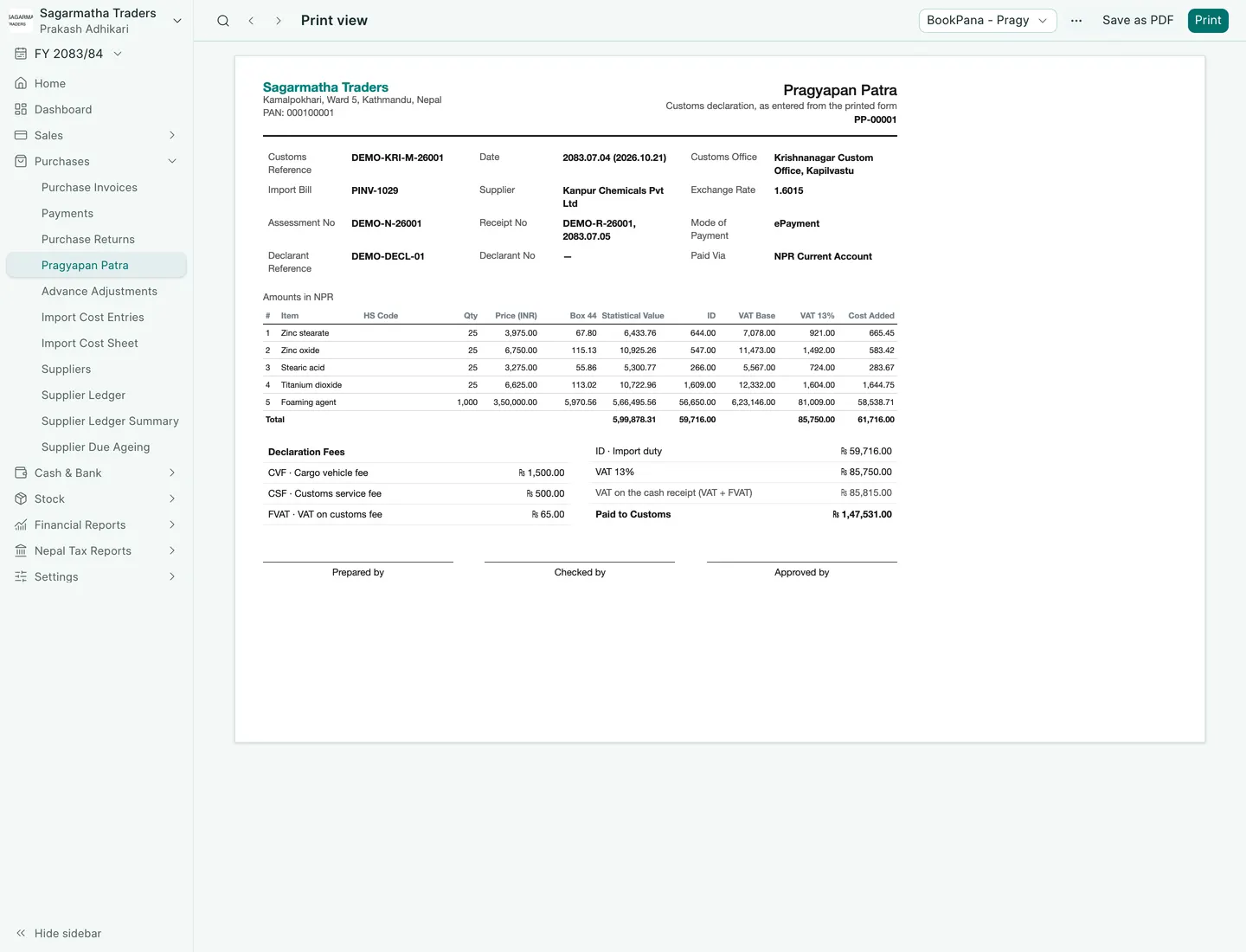
Open the submitted declaration and use its print icon. Check BookPana - Pragyapan Patra in the preview, then print in A4 landscape. Review every page before printing.
Worked declaration
PP-00001 has five chemical items over three pages. ID totals Rs 59,716 and item VAT Rs 85,750. CVF is Rs 1,500; CSF Rs 500; FVAT Rs 65. Paid to customs is Rs 1,47,531. The cash receipt’s VAT line is Rs 85,815, because it combines VAT and FVAT.
What BookPana books
| Debit | Credit |
|---|---|
| Item costs, expense components and claimable accounts according to their treatment | Paid From account, or the clearing agent |
| Customs VAT Account for recoverable VAT |
For received stock, item costs revalue the goods. Cancelling the declaration reverses its entries and clears the bill’s customs figures.
Common mistakes
Do not enter declaration fees on every item. Do not compare item VAT alone with the receipt’s combined VAT line. Check the receipt date separately: payment can happen after declaration registration. Keep the original paper with your records.
In BookPana
Example screens use fictional demo data. Your records and available actions depend on your company and access.
See the phone layout: Pragyapan Patra

See the phone layout: Pragyapan Patra print