Invoice numbers are permanent records. Ask the owner or accountant to review any numbering setup before starting real transactions.
Review a series
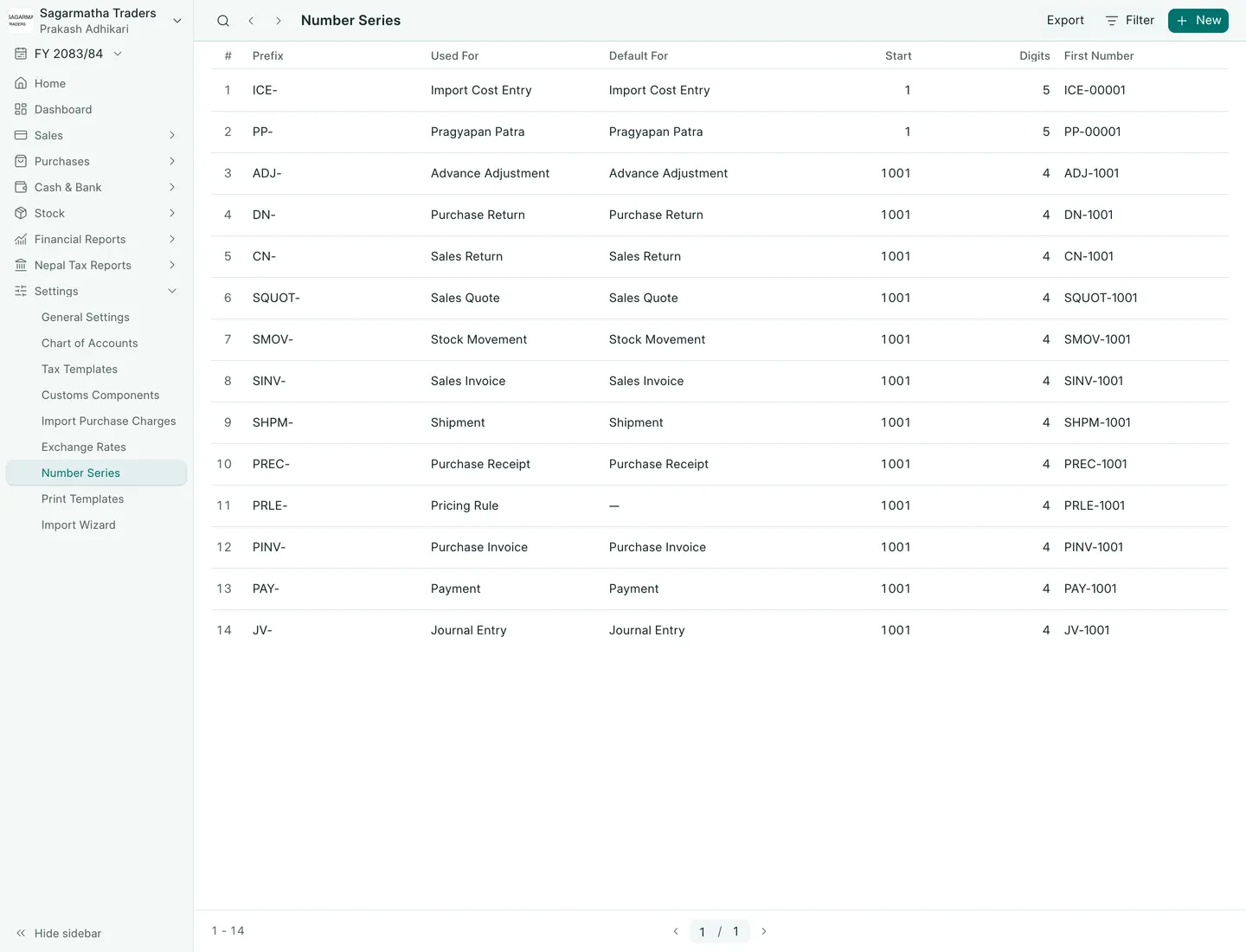
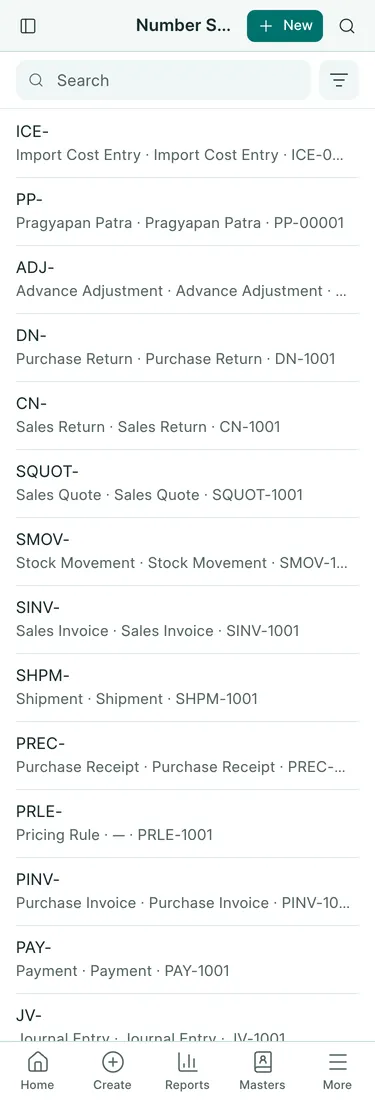
- Open Settings → Number Series.
- Review Used For (the document type) and Default For (where the series is selected by default). A dash means it is not that type’s default. Check Start, Digits and First Number; the first-number sample is not evidence of the next unused invoice number.
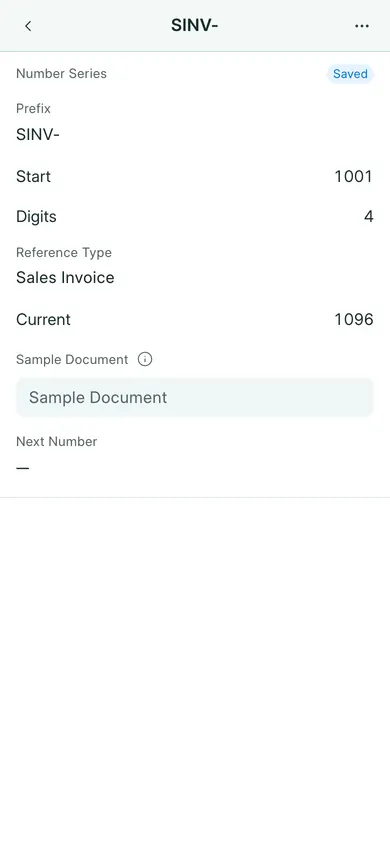
- Open the prefix for the document type you want to review.
- Check Prefix, Reference Type, Start and Digits. Sample Document can be used to preview the pattern in Next Number.
- If a setup change is needed, agree it with the owner first, then choose Save and confirm Yes.
The preview does not itself issue a number. The number belongs to the document when it is saved through its normal form. Do not use a preview as evidence that an invoice was made.
Keep the sequence intact
Use one invoice sequence per branch/company. Do not split it by customer or user, reset it during normal work, or fill gaps by renumbering old records. Although the series form supports patterns, that is not a reason to split your company’s invoice sequence.
A submitted invoice is cancelled when a permitted correction requires it; it is never deleted or renumbered. Returns keep their own series: CN- for sales credit notes and DN- for purchase debit notes.
If a saved number looks wrong, stop and ask the owner to review it. Do not change submitted records to make a printed sequence look continuous.
Import documents
PP- numbers Pragyapan Patras, ICE- numbers Import Cost Entries and ADJ- numbers Advance Adjustments. Check Default For in the list before entering an import. These documents have their own series; they do not replace the company’s invoice sequence.
In BookPana
Example screens use fictional demo data. Your records and available actions depend on your company and access.
See the phone layout: Number series defaults
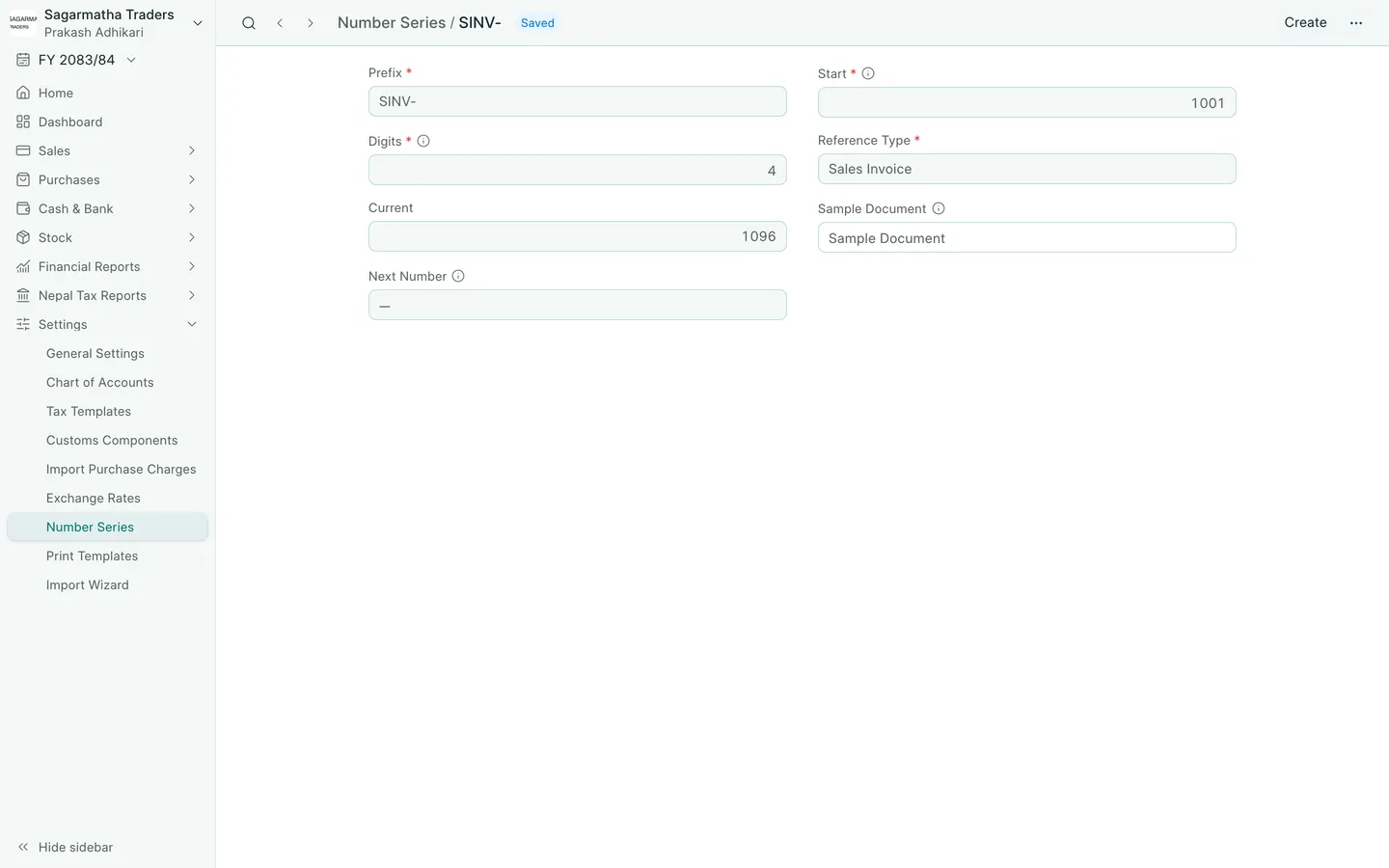
See the phone layout: Sales invoice number series