When to use it
Record a TT advance when money is sent before a bill arrives. An Advance Adjustment later links that payment to the bill without sending money again.
Record and use the advance
- Open Purchases → Payments → New and choose the supplier. Enter the foreign amount, bank rate, bank method and reference details. Leave bills unallocated for a full advance.
- Save and submit the payment. Check Advance Left before using it against a bill.
- Enter and submit the supplier bill when it arrives.
- On the bill, choose Create → Advance Adjustment. Alternatively open Purchases → Advance Adjustments → New and choose Party.
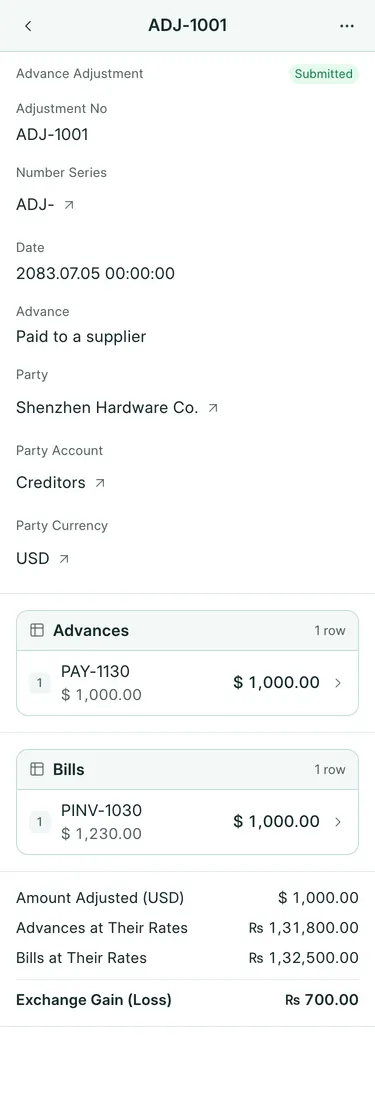
- Check the Advances and Bills tables. Review Adjust ($) for each row, Amount Adjusted (USD), Advances at Their Rates, Bills at Their Rates and Exchange Gain (Loss).
- Save and submit. Pay only the balance still owed on the bill.
What BookPana books
PAY-1130 sent USD 1,000 at 131.80 before PINV-1030, which was booked at 132.50. ADJ-1001 uses that USD 1,000 advance:
| Account | Dr (NPR) | Cr (NPR) |
|---|---|---|
| Supplier, with zero change in USD | 700 | |
| Exchange Gain/Loss | 700 |
The bill has USD 230 left, paid separately by PAY-1131. For NPR parties an adjustment settles the documents without a new accounting posting.
Common mistakes
Do not create another bank payment to apply an existing advance. Check the proposed oldest advances and bills before submitting. Cancel an adjustment before trying to cancel a payment whose advance it used. Cancelling the adjustment restores the bills and advances. Older foreign payments without foreign-currency amounts cannot be adjusted this way.
In BookPana
Example screens use fictional demo data. Your records and available actions depend on your company and access.
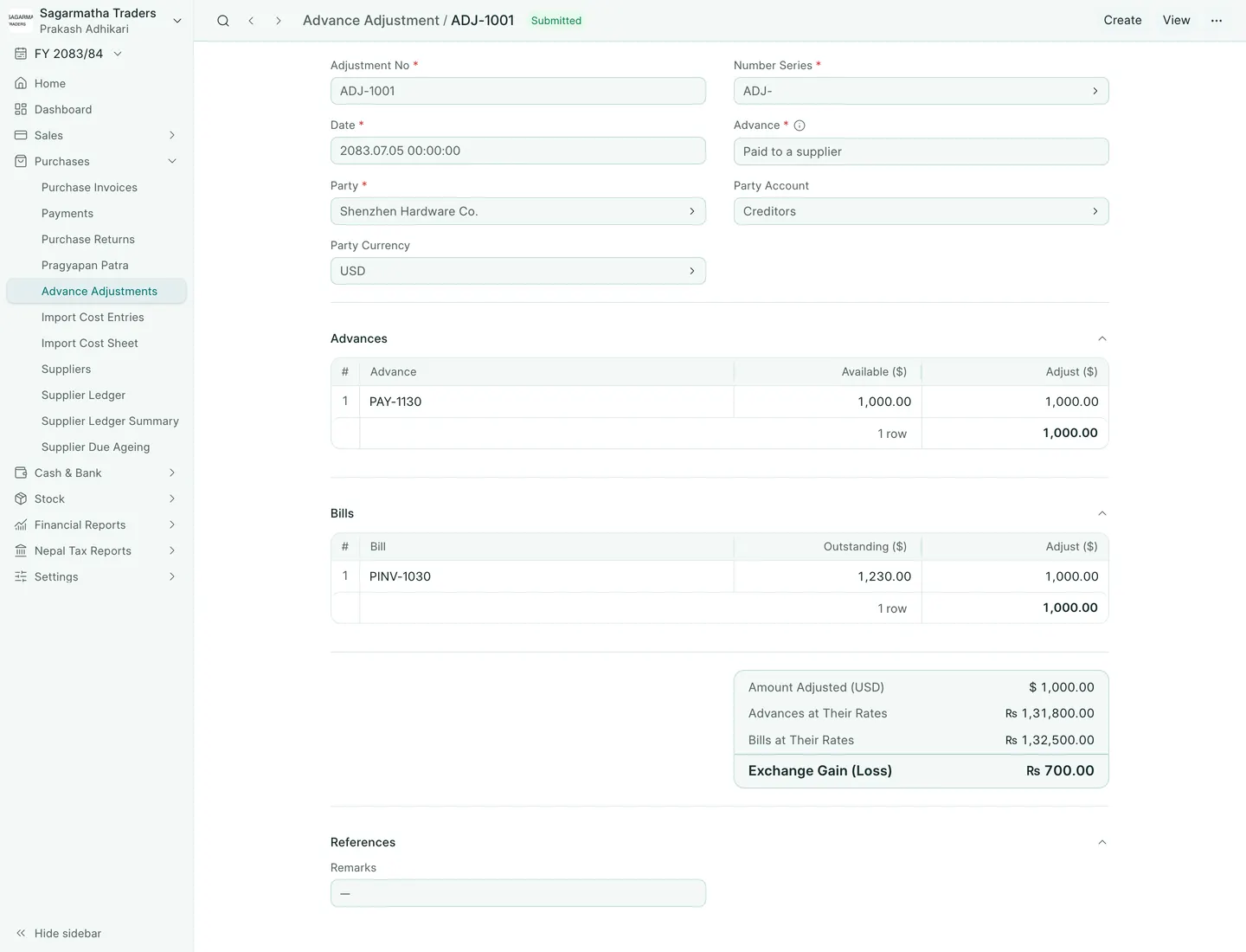
See the phone layout: Advance Adjustment