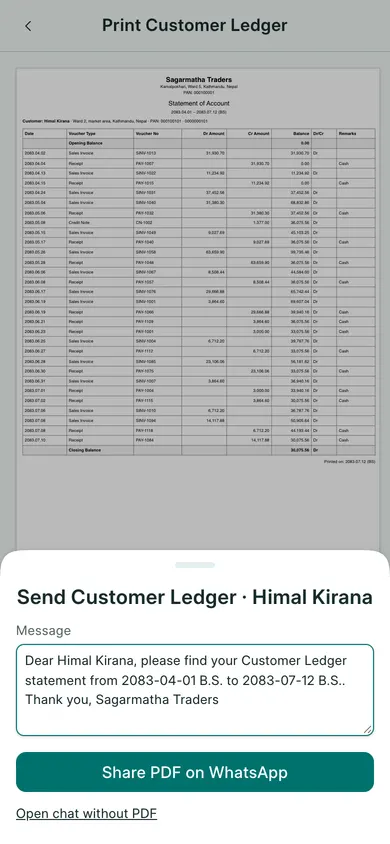
Prepare the PDF
- Open an invoice or receipt and its print preview, or open a customer ledger, supplier ledger or report.
- Check the selected document, report filters and date range.
- Choose Send via WhatsApp.
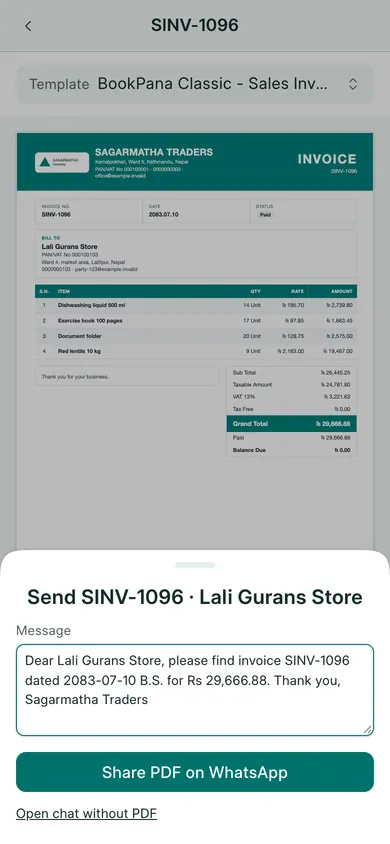
- Wait for the PDF to be ready. Review the recipient number and Message. Use the country code and the correct customer number.
- Choose the enabled send action and follow the sharing steps shown by your device.
Finish in WhatsApp
BookPana uses your own WhatsApp. Some devices can share the PDF directly through their native share sheet. Others download the PDF and open WhatsApp; attach the downloaded file when the dialog tells you to.
Check the recipient, message and attachment in WhatsApp before sending. A prepared PDF or an opened WhatsApp window does not confirm delivery.
You can cancel the dialog without sending. Do not send a whole ledger when the customer only needs one invoice; check the PDF and dates first.
In BookPana
Example screens use fictional demo data. Your records and available actions depend on your company and access.
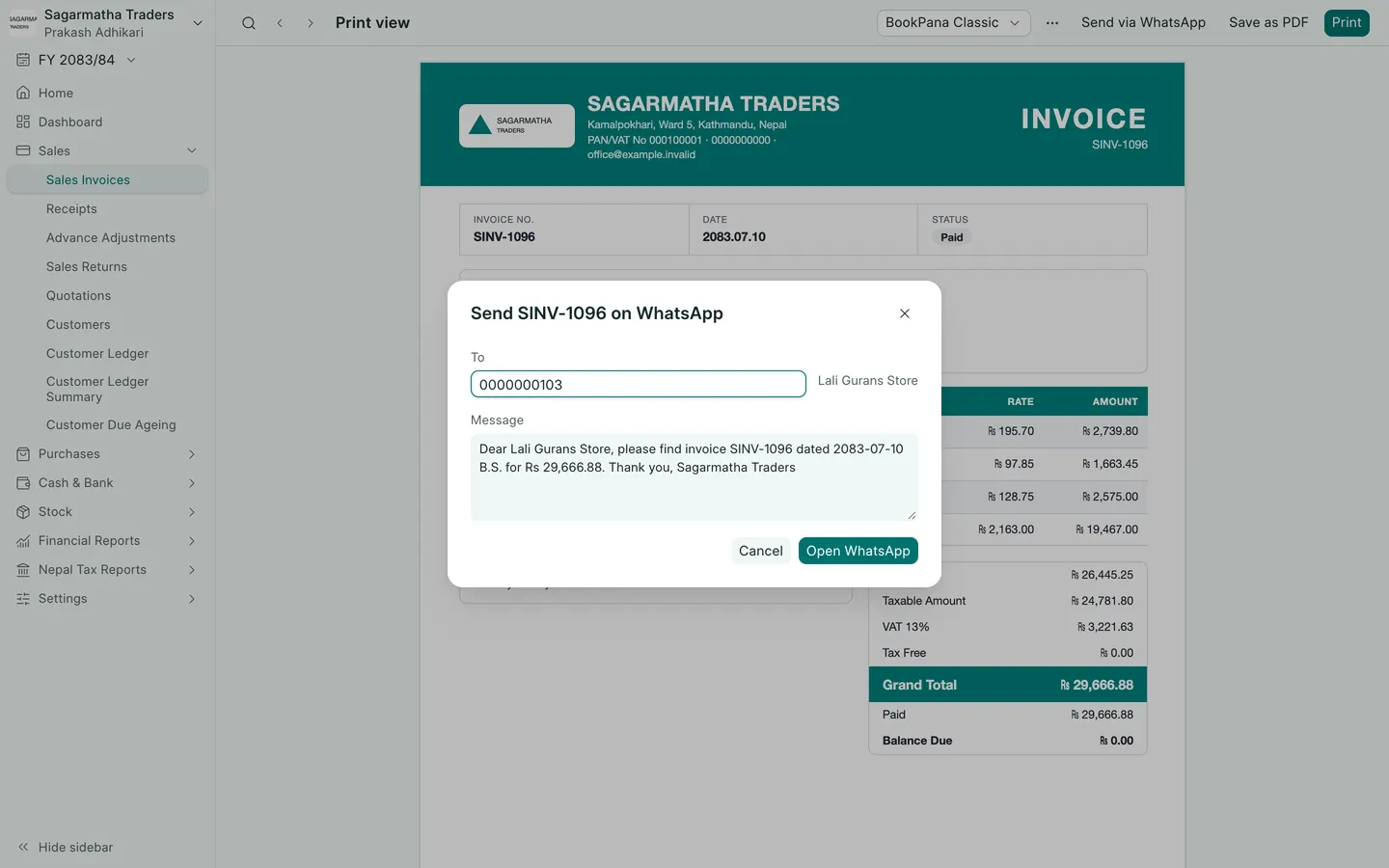
See the phone layout: Share an invoice
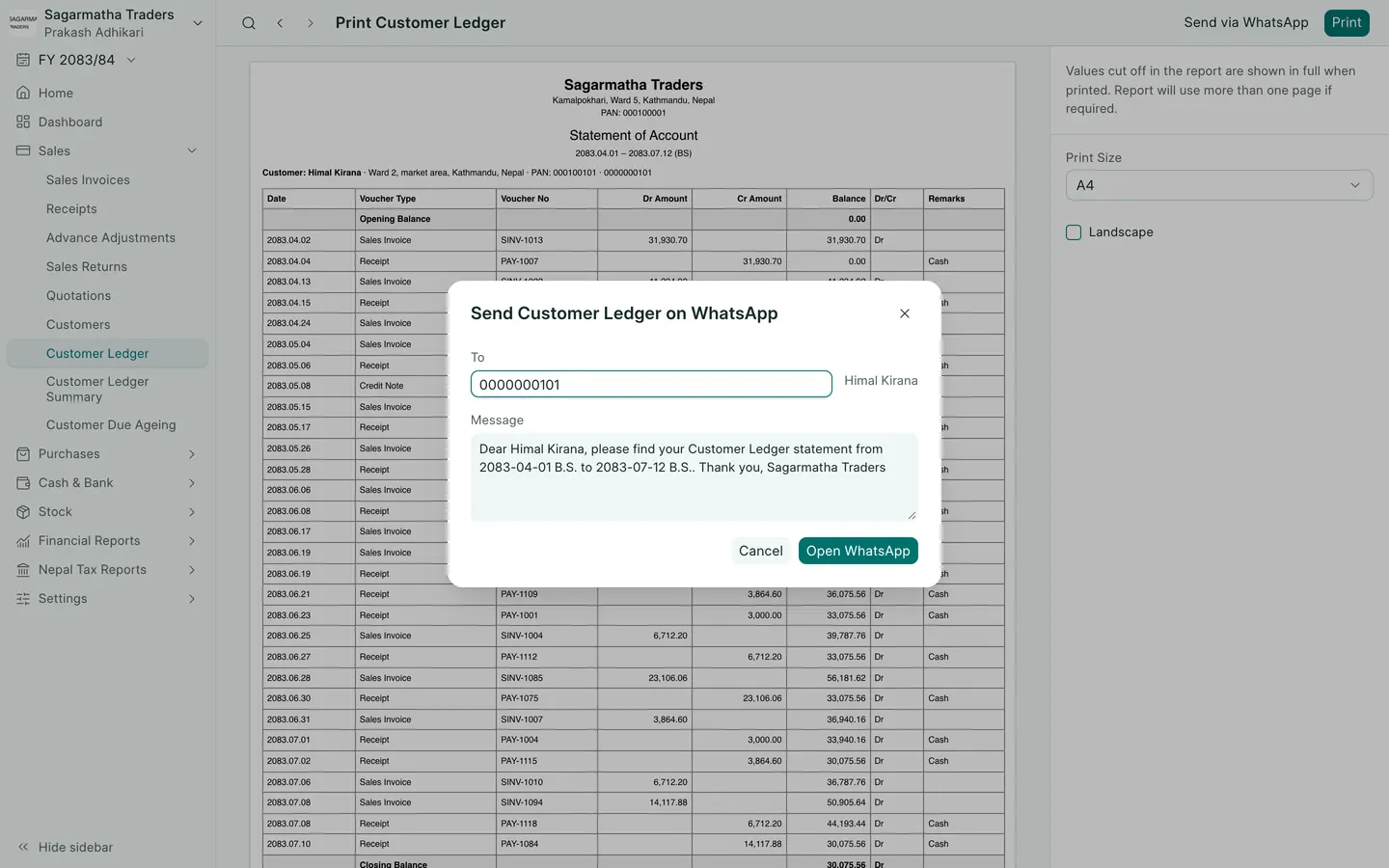
See the phone layout: Share a ledger