When to use it
Use a manual Import Cost Entry for a bank or LC charge without a purchase bill, or costs shared across several import bills. Local agent and transport bills can create their own entries automatically.
Add a charge
- Open Purchases → Import Cost Entries → New, or Create → Import Cost Entry on a submitted import bill.
- Check Date. Add the submitted bills under Import Bills.
- Choose Allocate By: Value, Quantity or Weight. Weight uses the declaration’s net weights.
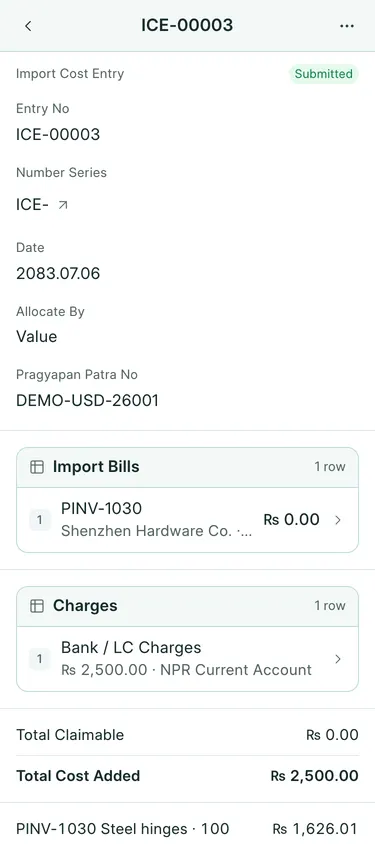
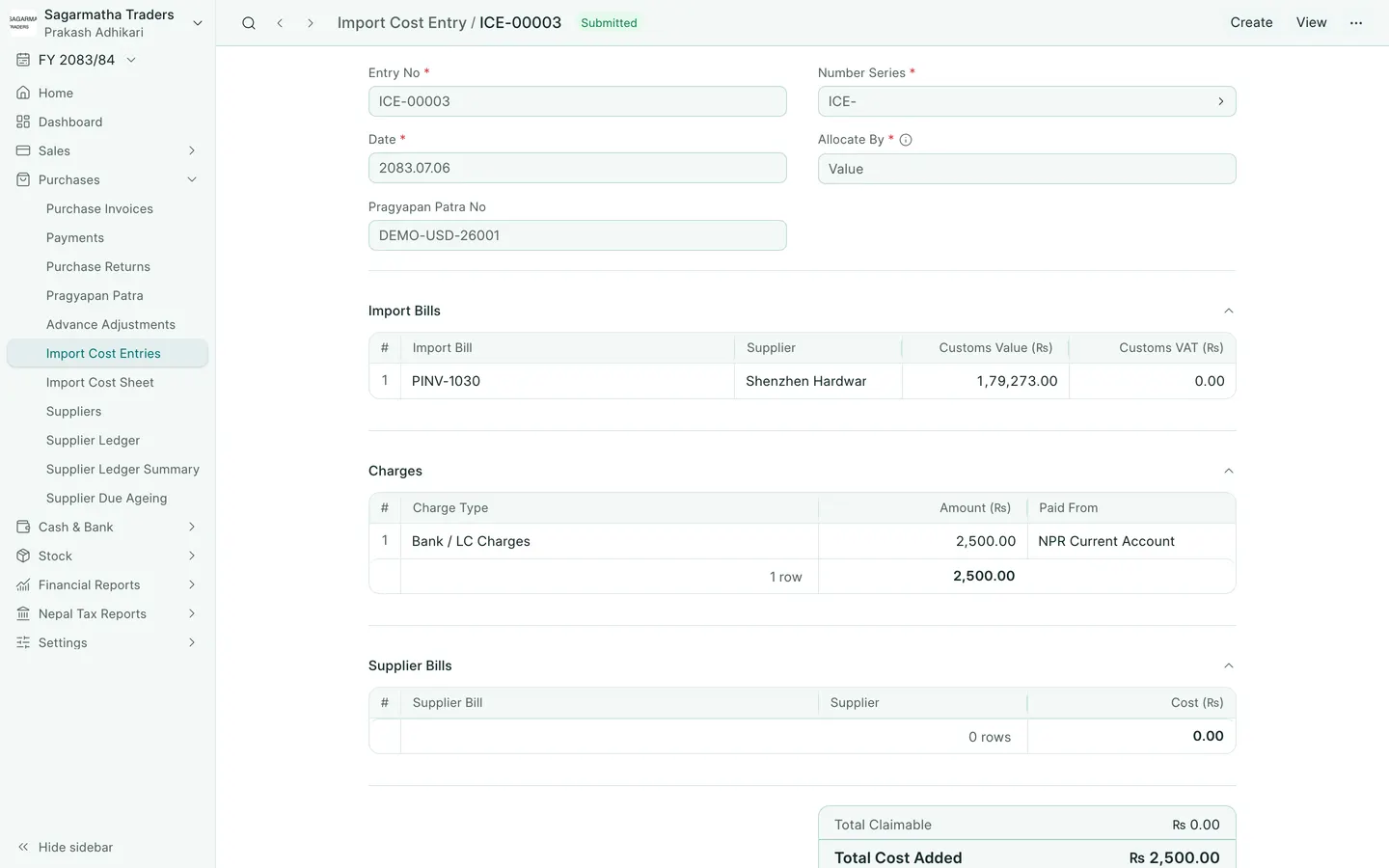
- Under Charges, add Charge Type, Amount in NPR and Paid From. For the example ICE-00003, use Bank / LC Charges, Rs 2,500 and the bank account.
- Check Total Claimable, Total Cost Added and the amounts allocated to each item. Save, review and submit.
- Check the resulting item costs. Cancel the entry to reverse it if it was entered incorrectly.
ICE-00003 adds Rs 1,626.01 to steel hinges and Rs 873.99 to drawer runners: Rs 2,500 in total.
Customs VAT once
BookPana claims each bill’s customs VAT once. After a submitted Pragyapan Patra has claimed it, a later LC or freight entry should not claim it again. Our LC entry has Total Claimable of zero. Check any automatically filled customs VAT line before submitting an entry for older import records.
What BookPana books
| Debit | Credit |
|---|---|
| Allocated item costs, including stock or fixed asset costs where applicable | Paid From |
| Claimable charge account for a claimable component | Paid From |
Received stock is revalued. Stock received later takes the added cost on receipt. Cancelling the entry reverses its postings and stock revaluation.
Common mistakes
Do not enter a local supplier bill both as a manual charge and a linked supplier bill. Do not repeat customs VAT already claimed by the declaration or an earlier entry. Check allocation totals; rounding differences go to the last row.
In BookPana
Example screens use fictional demo data. Your records and available actions depend on your company and access.
See the phone layout: Import Cost Entry