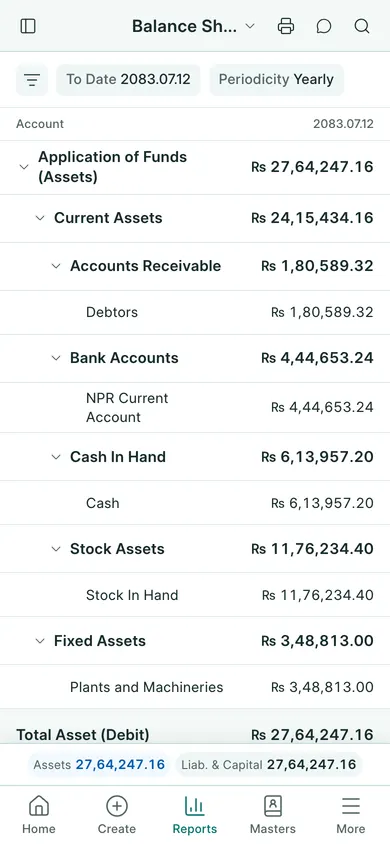
Open the report
- Open Financial Reports → Balance Sheet. On a phone, choose Reports → Balance Sheet.
- Check the working year and the report’s date filters. Adjust the range to the period you want to review.
- Wait for the rows to update, then review the totals in NPR.
- Use Print for a printable view or the export action for a file. Send via WhatsApp prepares a PDF for sharing.
Read the figures
Read assets, liabilities and equity as of the report’s ending date. Review the period result with the accountant; a balance sheet is a position at a date, not just cash received and paid.
Reports use posted records. If an amount is missing, check whether its invoice, payment or journal is still a draft, cancelled, outside the dates, or in a different company. Correct the source through the proper form rather than trying to edit a report row.
For a customer or supplier balance, also use Customer Ledger or Supplier Ledger under Sales or Purchases. Check that the company and date range match.
In BookPana
Example screens use fictional demo data. Your records and available actions depend on your company and access.
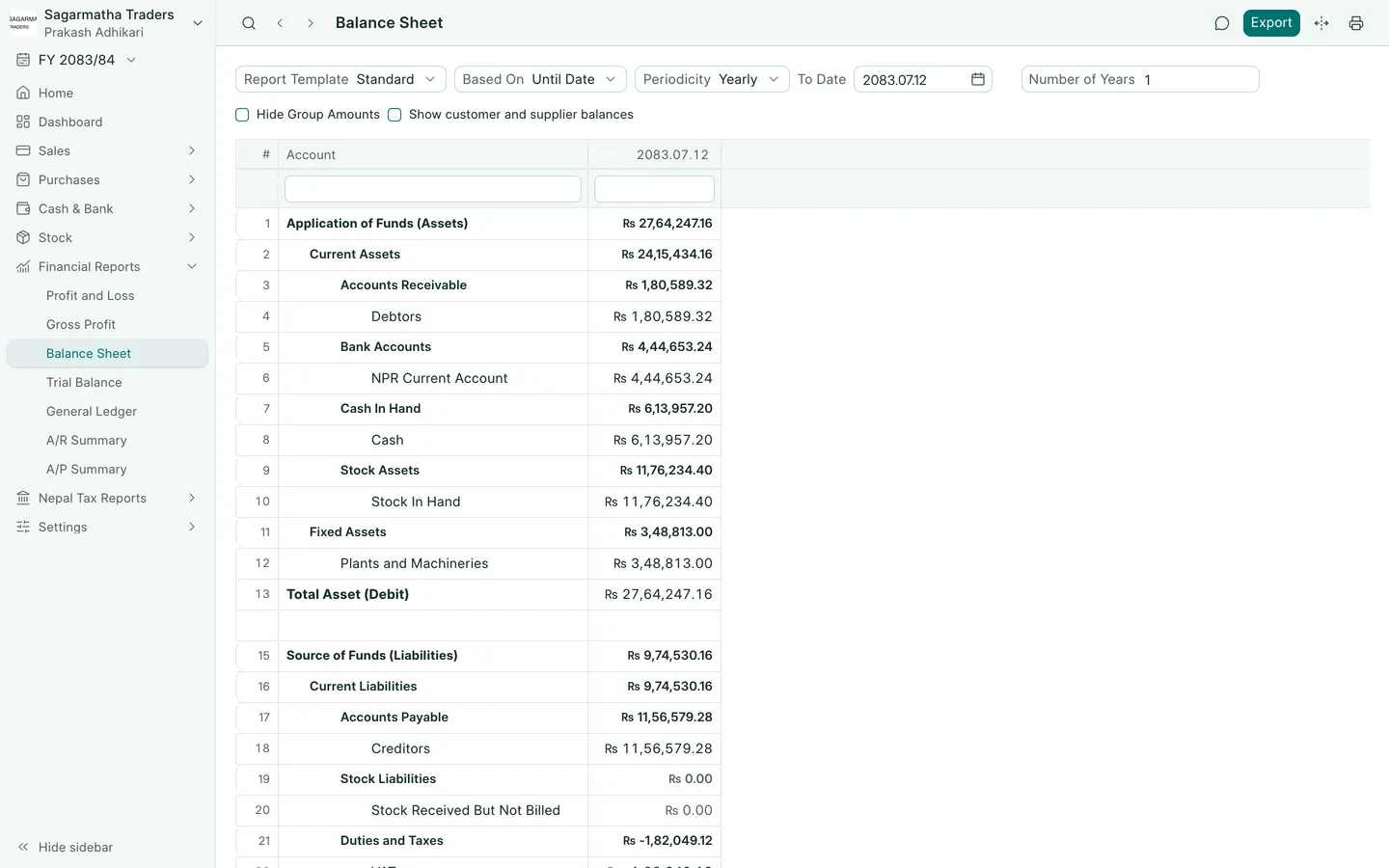
See the phone layout: Balance sheet