When to use it
Enter the supplier’s bill when it arrives. Enter customs later in a separate Pragyapan Patra. A bill without a submitted declaration waits for customs figures in the reports.
Enter the bill
- Open Purchases → Purchase Invoices → New.
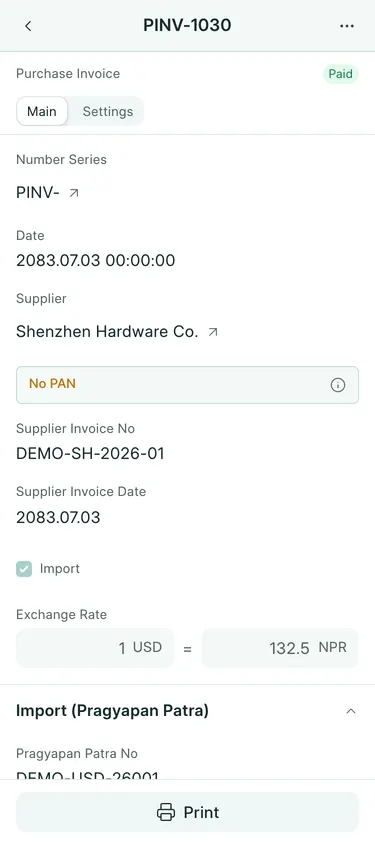
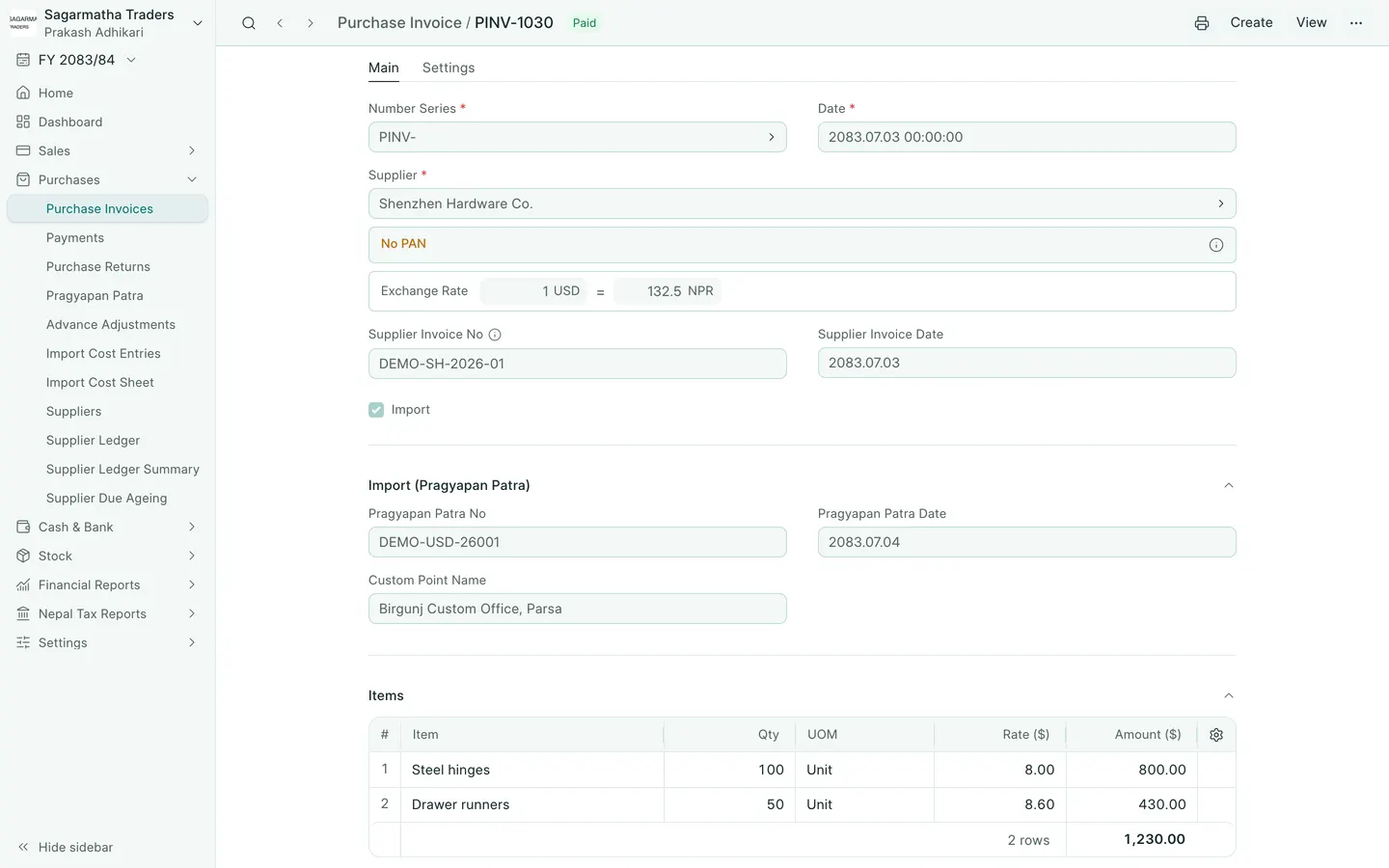
- Choose the foreign Supplier. Check Date and Exchange Rate under the supplier details.
- Enter Supplier Invoice No and Supplier Invoice Date from the bill. Tick Import.
- Add each item, quantity, unit and rate in the supplier’s currency. Leave supplier VAT off these rows: customs VAT belongs on the declaration.
- Check Grand Total in the bill currency and Base Grand Total in NPR. Save, review, then submit and confirm.
- For tracked goods, record their receipt through Create → Purchase Receipt if they have not already been received. Check the location and quantities before submitting the receipt. Do not receive the same goods twice.
- When the customs paper arrives, open the submitted bill and choose Create → Pragyapan Patra.
The example PINV-1030 has 100 steel hinges at USD 8 and 50 drawer runners at USD 8.60. Its total is USD 1,230, or NPR 1,62,975 at 132.50. Receipt PREC-1025 records the goods in Stores.
What BookPana books
| Document | Debit | Credit |
|---|---|---|
| Stock purchase bill | Stock Received But Not Billed | Supplier |
| Purchase receipt | Stock In Hand | Stock Received But Not Billed |
An expense or fixed asset row uses its own account instead. Customs and other import costs follow in separate documents.
Common mistakes
Do not use For Import on the foreign supplier’s bill: that field is for a local service bill linked to a declaration. Do not add customs VAT to the supplier’s payable. Keep the supplier’s invoice number separate from BookPana’s document number.
In BookPana
Example screens use fictional demo data. Your records and available actions depend on your company and access.
See the phone layout: Foreign supplier bill