When to use it
Use a purchase return when some imported goods go back to the supplier. Keep the original bill, declaration and return reference together.
Record a partial return
- Open the submitted import bill. Choose its return action under Create, then check Return Against.
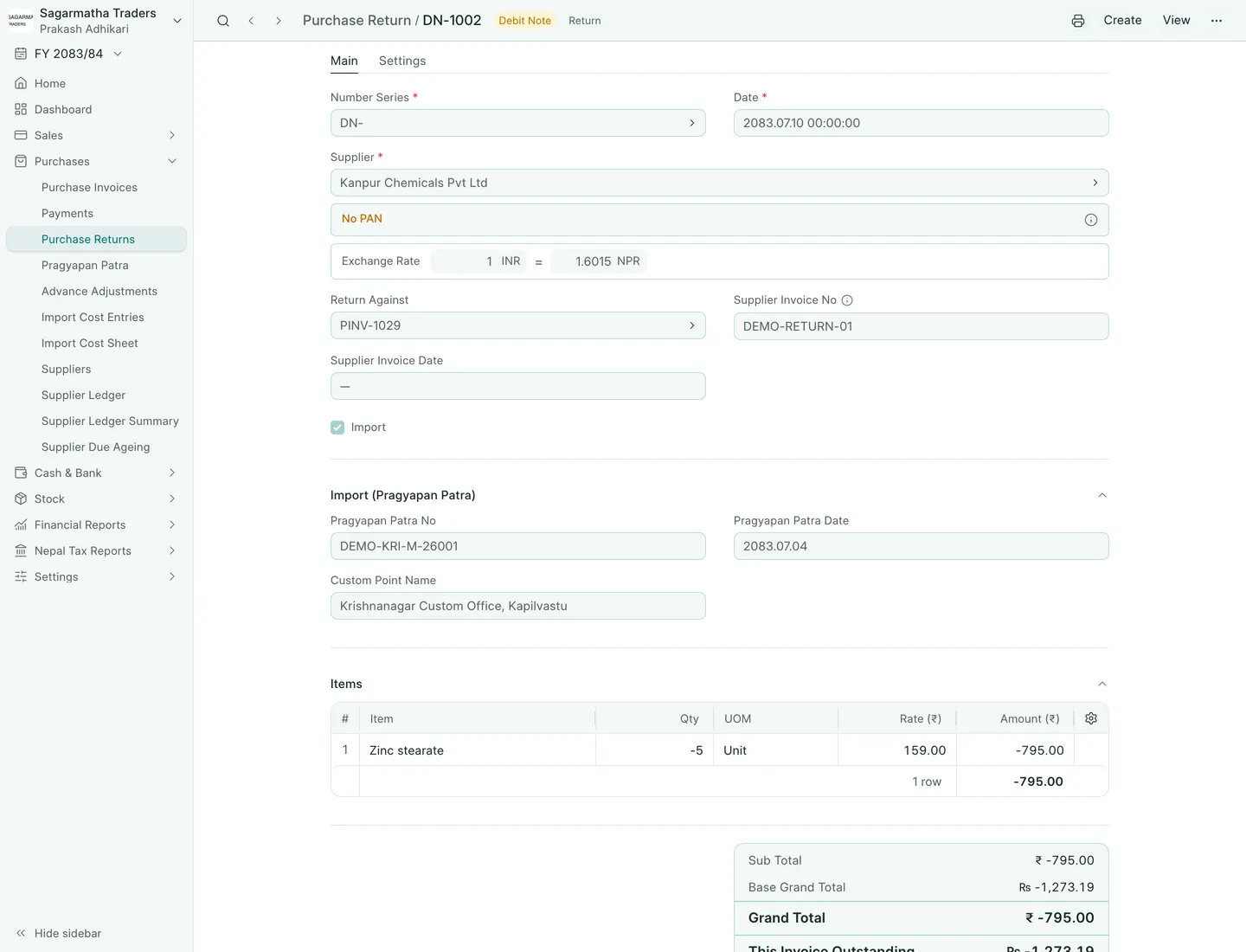
- Keep only the items being returned and lower each quantity to what goes back. Return quantities show as negative; keep the original rates and currency.
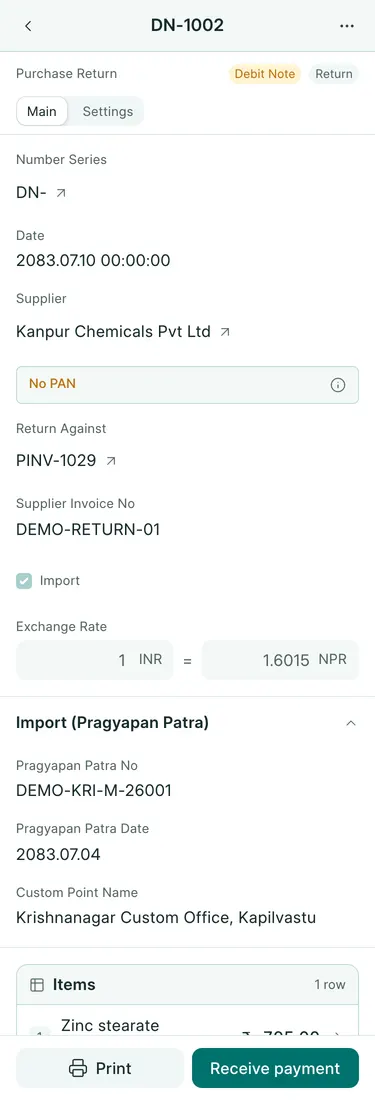
- Keep Import ticked and check Pragyapan Patra No, Pragyapan Patra Date and Custom Point Name against the original declaration.
- Save. BookPana gives each returned row its share of the original row’s customs value and VAT, by the returned quantity, and works it out again whenever you change a quantity. Check Customs Taxable Value and Customs VAT before submitting.
- Save, review and submit the return. Check it in the Purchase Returned Register. Where stock is tracked, record the corresponding return of goods through the stock receipt workflow and check the remaining stock.
Worked partial return
DN-1002 returns 5 of the original 25 units of Zinc stearate on PINV-1029. The original row’s customs base is Rs 7,078 and VAT Rs 921. Its 20% return carries customs base Rs 1,415.60 and VAT Rs 184.20. The return bill is INR -795, or NPR -1,273.19.
BookPana worked out those figures when the return was saved with 5 units: 7,078 × 5 ÷ 25 and 921 × 5 ÷ 25.
What BookPana books
The return reverses the supplier bill’s returned amount: debit the supplier and credit the original purchase account. The returned register uses the return’s customs figures. Review customs settlement and any separate customs-cost reversal with the accountant; a supplier return is not evidence that customs has refunded money.
Common mistakes
Do not type the full bill’s customs figures over the shared ones. Make the return from the bill with Create, so each row stays linked to its original row. Do not delete or renumber the original submitted invoice. Purchase returns use their own DN- series. Check both supplier and stock balances after recording the return.
In BookPana
Example screens use fictional demo data. Your records and available actions depend on your company and access.
See the phone layout: Partial import return